
- Joined
- Nov 10, 2017
- Messages
- 768
And don't you all just LOVE having to slash the capacity of every single fucking DPCI when setting feature tables (NYX and MUR at my store) because the default capacities apply to standards cosmetics fixtures?

I always assume its done so it'll trigger the DC to supply stores with more product and clear out the DC. I dont have any idea if that is factual or not as it happens all over the place id assume some are just overlooked. Dont have any dc experience so domt know if thats needed but it does seem to have some effect how much product stores recieve.How about when the capacity of an item is 1028 and only 4 fit, that always makes me question what goes on
How does one find it?There is a video on workbench about the ism refresh
Shows the headers and outriggers:
Is there no longer print all batches? We still didn’t have the new way when I left last night so I guess I’ll find out tonight.So we just got the Set update. Am I an idiot, or is there no longer a way to manually, voluntarily batch ALL labels for a POG?
Or do we have to just accept whatever batch type the system decides to give us and then go through the line listing and print any other labels we need one by one? Exactly whose time and sanity is that supposed to be saving?
FIX THE BROKEN THINGS AND STOP BREAKING THE OTHER THINGS.
If the pogs are pretied you can do it before doesnt help revisions though but atleast salesplanners and transitions will work.Hold on, I think they’re still tweaking it…I’m able to batch labels, but now I can’t do anything else from the POG details screen?
EDIT: All options from the POG details screen (non-retail, line listing, etc.) appear only AFTER you’ve clicked all the way through “finalize planogram.” Welp. Guess we can add the entire “fill and finalize” step to all the fake-clicking we’re going to have to do before actually beginning to setting a POG. Great.
This makes me nuts. I get it if the count is off by 1 or 2; it's usually because of the space the self-pusher takes. But the capacities are sometimes so ridiculously off that they must be just pulled out of the air. (Besides that, the math is sometimes just goofy; if a product has 2 or 3 facings, there's no way the total capacity could be 17.)all the incorrect counts resulting in pulls being over 100 DPCIs, 999 eaches lol
I have seen this. Back when Seasonal at this time of year was the "stock up and save" thing with products like cleaning supplies and personal care items, there was a spot on a shelf for those quart-size spray bottles. The capacity was maybe 8, but the SFC was something like 700. Maybe if they were doll-size spray bottles.How about when the capacity of an item is 1028 and only 4 fit, that always makes me question what goes on
This. A gazillion times this.FIX THE BROKEN THINGS AND STOP BREAKING THE OTHER THINGS.

Is there no longer print all batches? We still didn’t have the new way when I left last night so I guess I’ll find out tonight.
I wish they would get rid of intended location… someone broke my preties I did because “I didn’t follow the intended location” which didn’t even match the map 🙄🙄

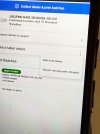
The only way to batch all labels before it’s fully tied is this way, touch the three dots and hit batch all labels.So we just got the Set update. Am I an idiot, or is there no longer a way to manually, voluntarily batch ALL labels for a POG?
Or do we have to just accept whatever batch type the system decides to give us and then go through the line listing and print any other labels we need one by one? Exactly whose time and sanity is that supposed to be saving?
FIX THE BROKEN THINGS AND STOP BREAKING THE OTHER THINGS.
Looks like a top of the full height locking case based on the grid top and the spots for the doors to lock into
ooo... maybe for our liquor lock upLooks like a top of the full height locking case based on the grid top and the spots for the doors to lock into
I put the white new storewide below it and ordered a second sheet.So the Kitsch hair accessory pog only sent 1 backer paper for a regular full section. So now the bottom is bare. Why??
That's hilarious.The POGs they gave us for Derm and Acne A and B are identical to each other. They've clearanced out all the product from the acne aisle (I don't remember whether that was A or B) and if we were to proceed, we'd have two aisles of CeraVe, Cetaphil, etc. mirroring each other. We're assuming this was a mistake and awaiting a response to our Chatbot query. Thanks, Target...


